

Our products

Electronic Signature

Collection of Payments

Companies

Small Businesses

Medium Businesses

Large Companies

Industries and departments

Legal Services

Construction

Accounting

Government and Municipalities

Education

Human Resources

Sales

Industries and departments

Legal Services

Construction

Accounting

Government and Municipalities

Industries and departments

Education

Human Resources

Sales

API and Integrations

API Pricing

API Documentation

Integrations

Our sales team is here to help you explore the right plan for your needs and answer any questions you may have.

Read more

About EzSign Icon

About Us

Customer Testimonials Icon

Customer Testimonials

Blog Icon

Blog

FAQs

How to

Icon tutorials

Tutorials

Video Guides Icon

Video Guides

Get Support Icon

Contact

How to Sign

Compare

Versus Icon

eZsign vs Docusign

Versus Icon

eZsign vs Acrobat Sign

30 Days Free - No Credit Card Needed!

30 day free trial, no credit card required

Release Notes Version 2.0

Release Notes

Version 2.0

Discover new functionalities and improvements introduced in this version.

New Signing Interface: A More Intuitive and User-Friendly Experience

Efficiency and control are at the heart of the new eZsign update. In version 2.0, we have completely redesigned the look and user experience of the signatory interface.

New Functionality

This new version is designed to better guide signatories through each step of the signing process, while offering a more modern, intuitive, and mobile-friendly experience.
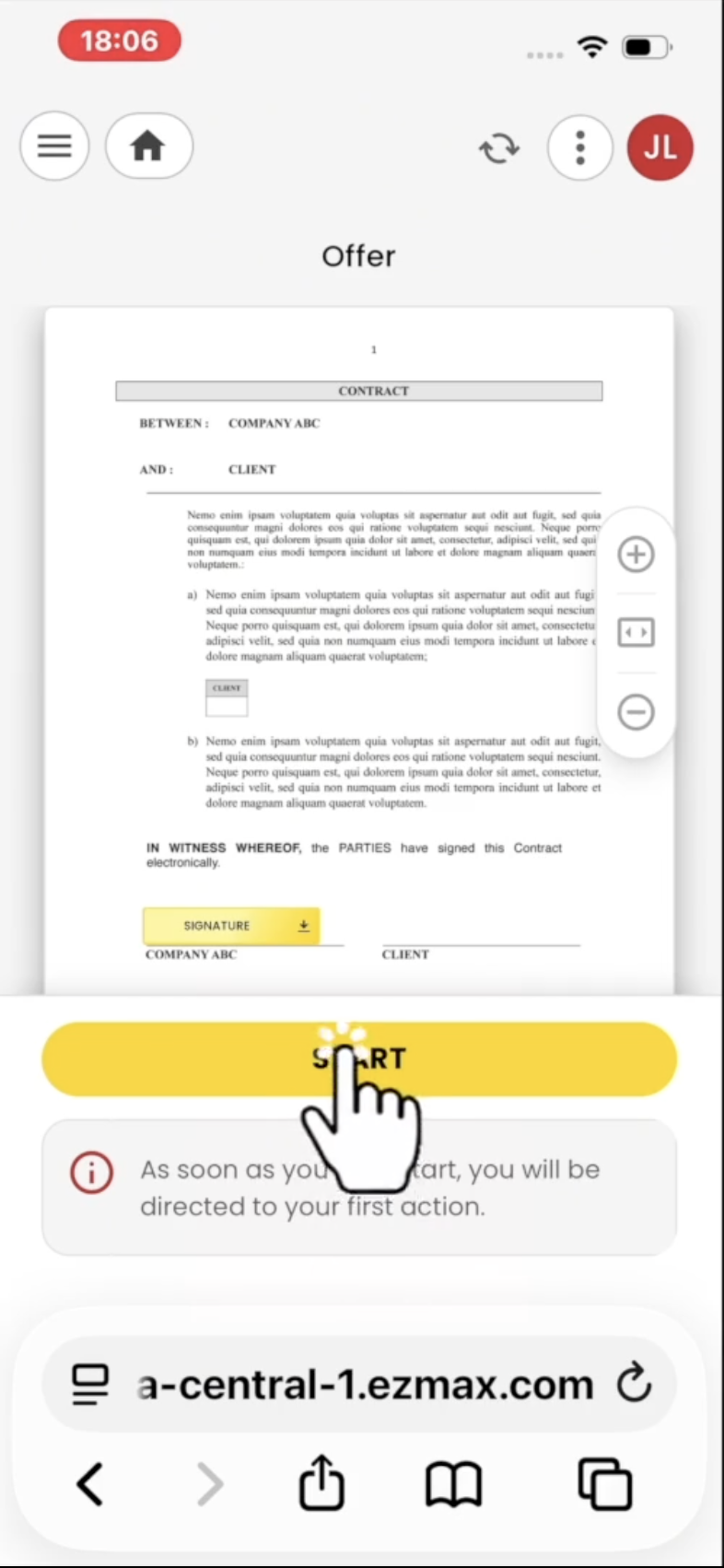
Capture d’écran, le 2026-05-22 à 06.53.53

After authentication, the signatory now arrives at a clear home page that provides an overview of their folder. They can see all the documents assigned to them.
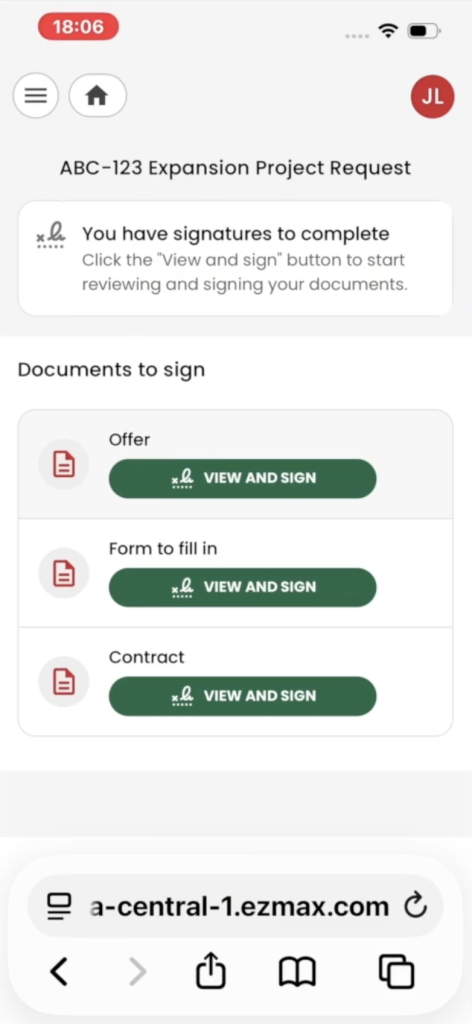
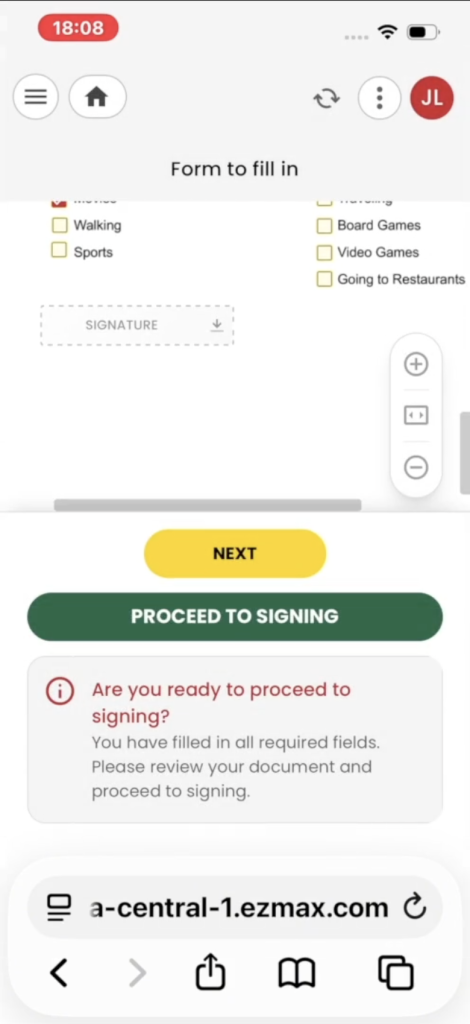
The interface then guides the signatory step by step to help them complete all required fields and documents correctly.
 
The improvements are visible in several places throughout the signing process, but they are particularly important when a document contains form fields.
 
Before proceeding to signing, the signatory is now better guided through completing the form fields. The goal is to make this step clearer and eliminate the “Submit Form” action, which has been removed.

To help you adopt this new interface, we’ve prepared two short explanatory videos that we encourage you to watch:
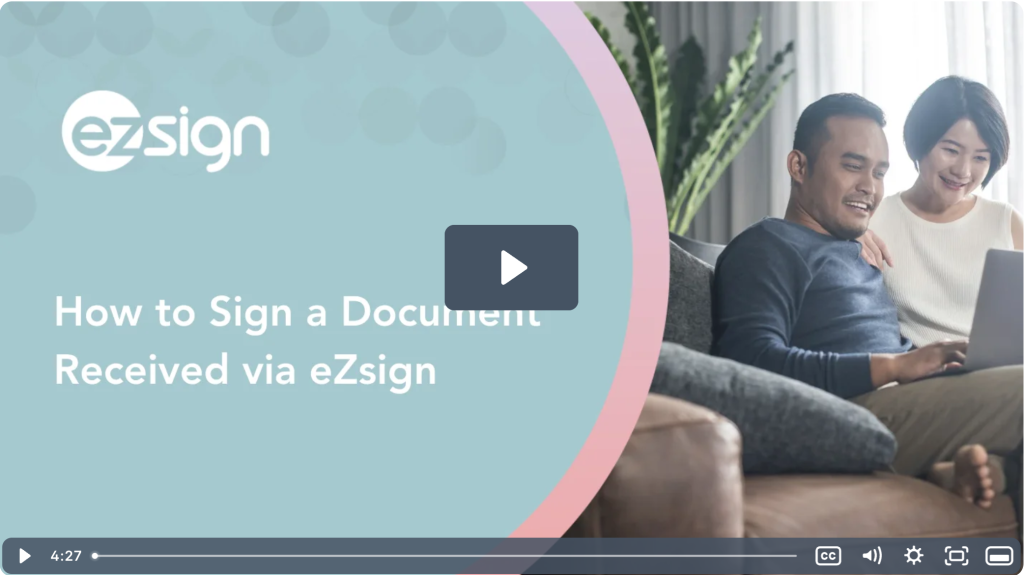
These videos will allow you to discover the new signing experience.

Contact Sales

Ready to elevate your business with eZsign e-signatures? Our Sales team is here to help you explore the right plan for your needs and answer any questions you have.