




Release Notes Version 2.0.1
Discover new functionalities and improvements introduced in this version.
Efficiency and control are at the heart of the new eZsign update. In version 2.0.1, we’ve introduced Copying an Existing Folder, Automatic Step Association, a New Dashboard on the Home Page, and Sending Completed Documents by Email.
New Functionalities
- Copying an Existing Folder
It is now possible to copy a folder in order to create a new folder more quickly from an existing one.
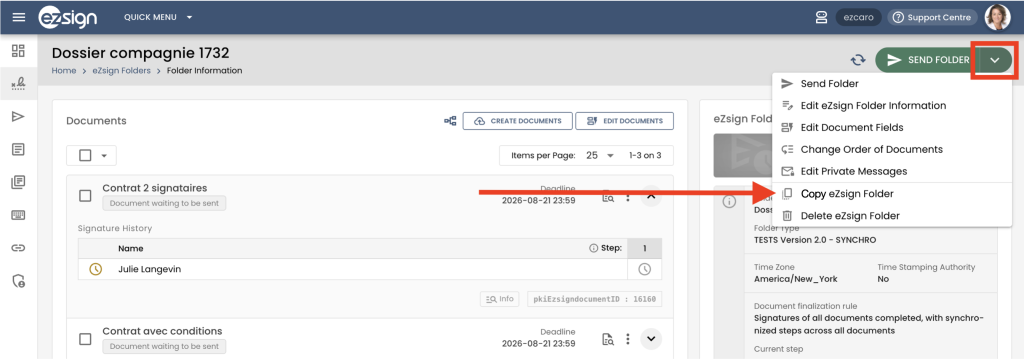
When copying a folder, you can choose which elements you want to keep, including:
- The documents to copy;
- The signatures and signature fields that already exist in the copied folder;
- The signatories to copy into the new folder.
This new feature helps you save time when creating similar folders, while giving you the flexibility to adapt the new folder to your needs.
- Automatic Step Association
When your folder type is configured with the following document finalization rule: “Signatures of all documents completed, with synchronized steps across all documents”, a new automatic step association window will appear when creating a folder.
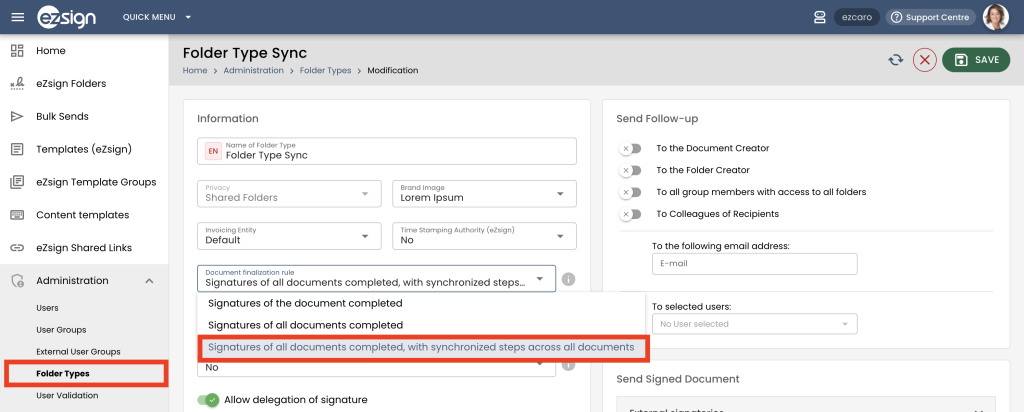
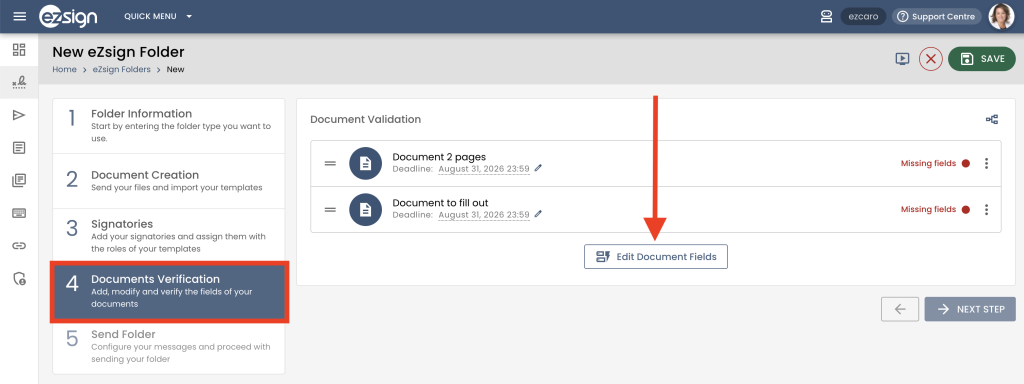
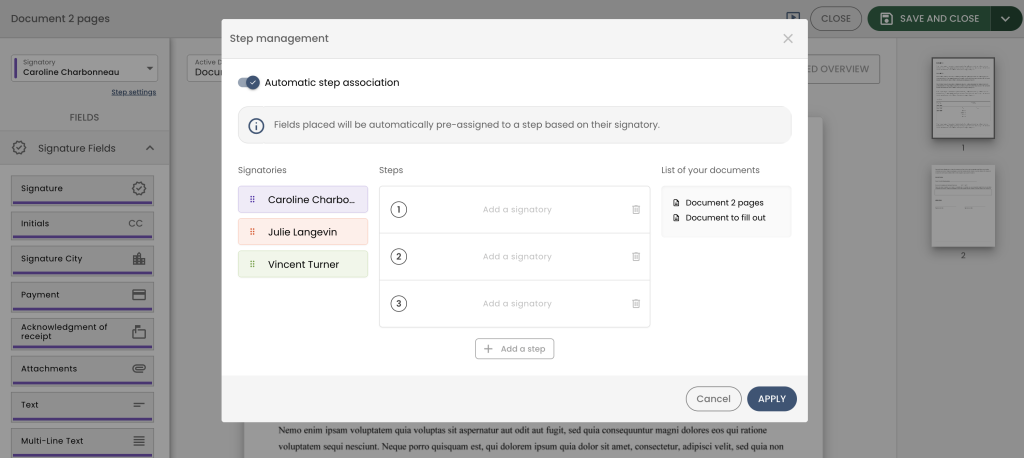
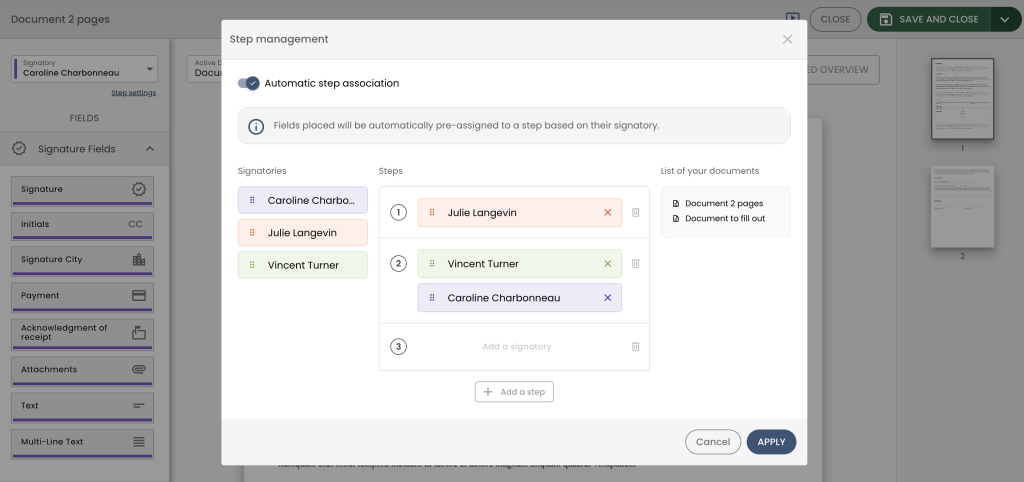
By preassigning a step to a signer, each new field added for that signer will automatically be associated with the selected step. This reduces manual steps and helps ensure greater consistency when configuring signature fields.
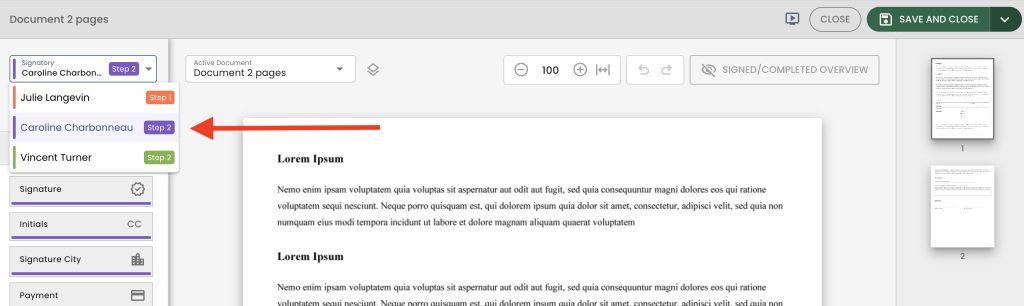
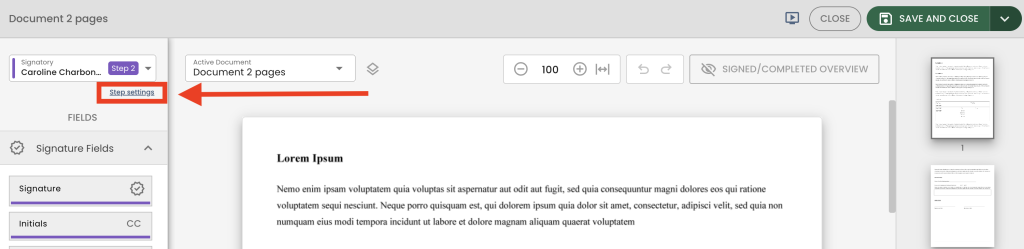
When you return to an already saved folder, you can access this association window again by clicking on the Step Settings option.
- New Dashboard on the Home Page
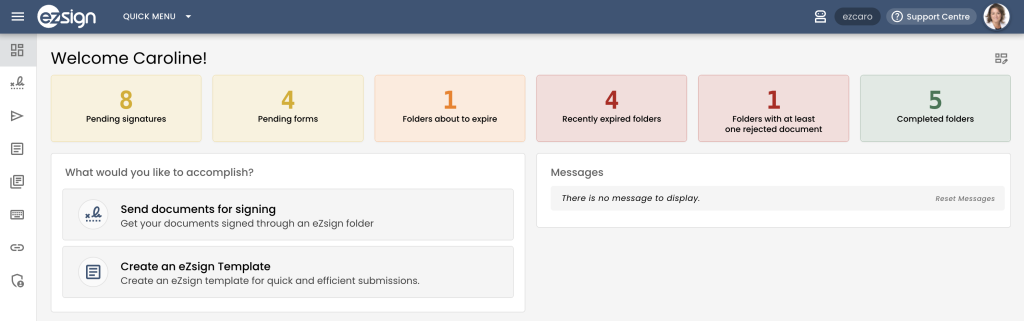
- Pending Signatures
Indicates folders for which your signature is required.
- Pending Forms
Indicates folders for which you have documents to complete.
- Folders About to Expire
Indicates folders you have sent that are set to expire within the next five days.
- Recently Expired Folders
Indicates folders that expired within the last ten days.
- Folder With at least one Refused Document
Indicates folders containing at least one document that was refused within the last seven days.
- Completed Folders
Indicates folders that were completed within the last seven days.
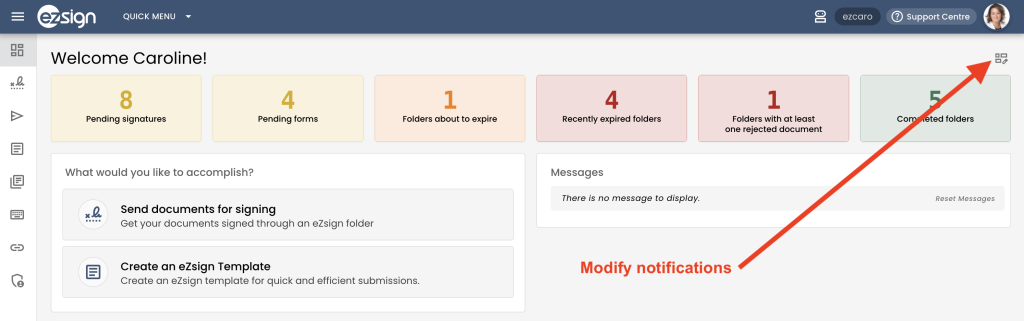
This new dashboard gives you better visibility into the status of your folders as soon as you arrive in eZsign and allows you to complete the necessary follow-ups more quickly.
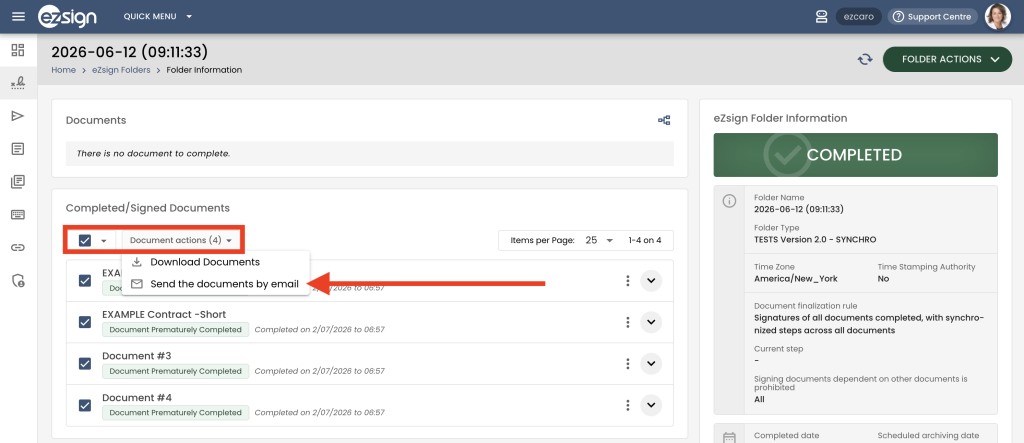
- Sending Completed Documents by Email
- Download the selected documents;
- Send the selected documents by email.
 Contact Sales